Energy Casino App: Install on Android and iPhone

Short answer

There is no Energy Casino app in the App Store or Google Play. The official site installs on your phone as a web app in three taps: on Android through the Chrome menu, on iPhone through Safari's Share menu. It uses the same account, cashier and welcome offer as the desktop site.

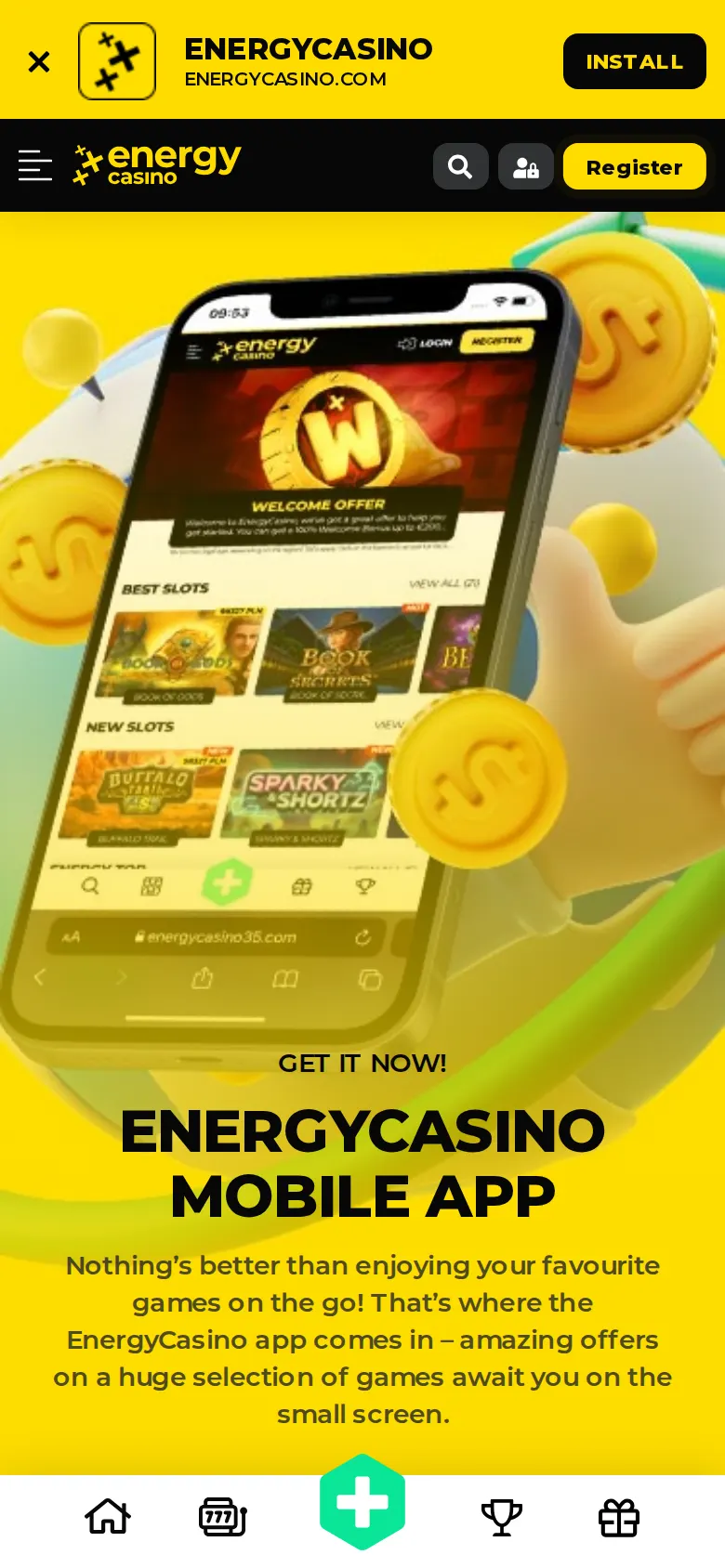
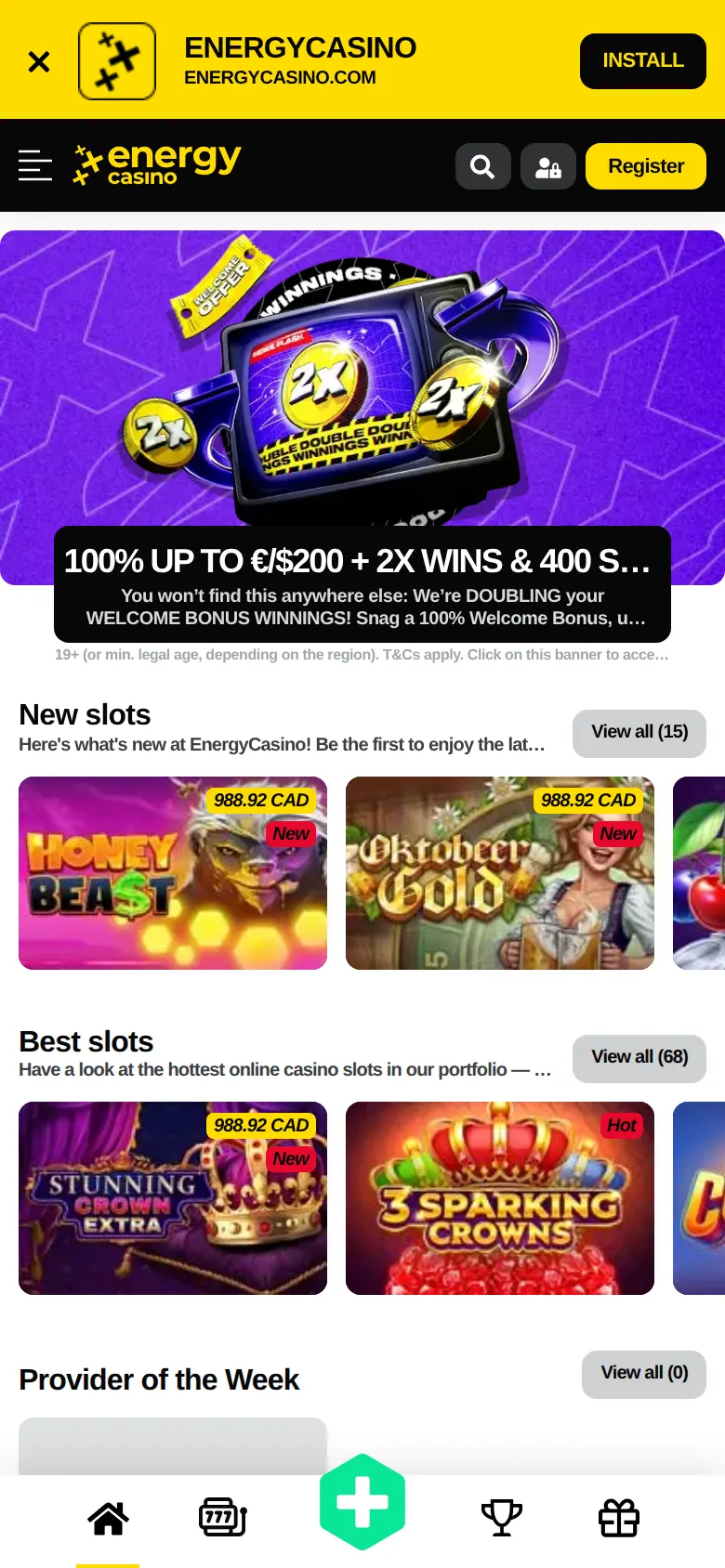
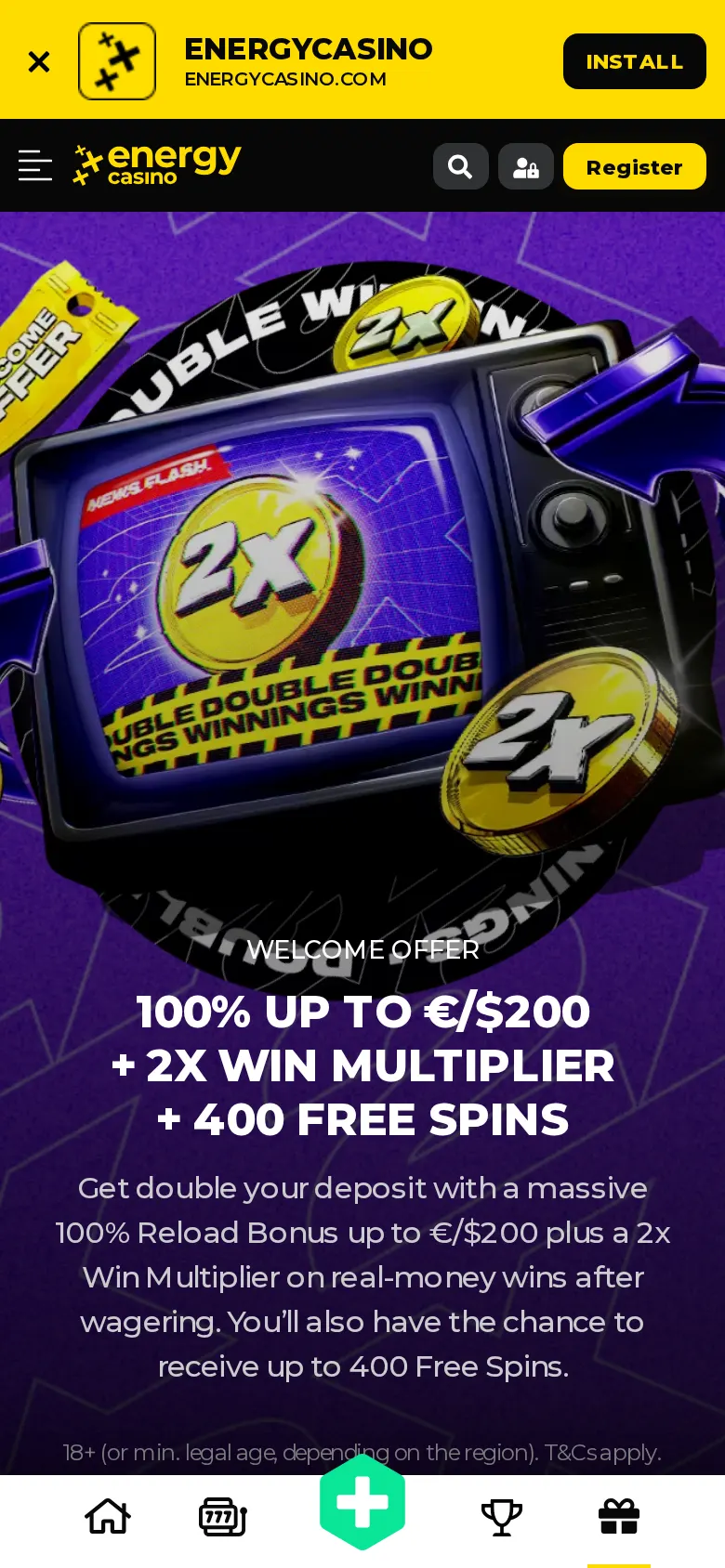
Energy Casino mobile app page on a phone

How to install the Energy Casino app on Android

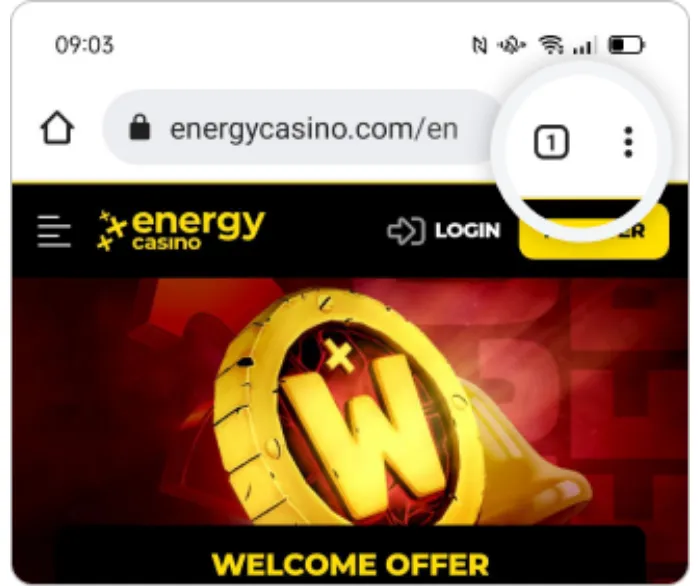
  1. Energy Casino Android install, step 1

    Step 1. Open energycasino.com in Chrome and tap the browser menu (the three dots at the top right).

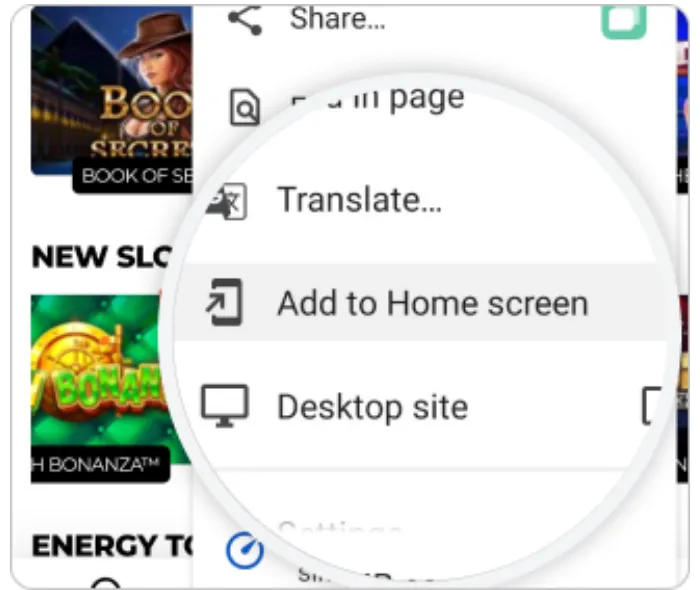
  2. Energy Casino Android install, step 2

    Step 2. Choose "Install App" (on some phones it reads "Add to Home screen").

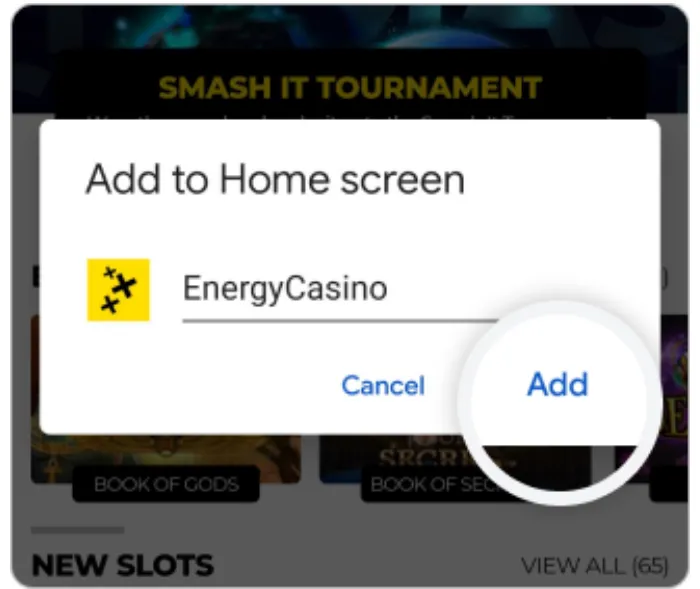
  3. Energy Casino Android install, step 3

    Step 3. Confirm with "Install" or "Add". The EnergyCasino icon appears on your home screen.

How to add Energy Casino to your iPhone home screen

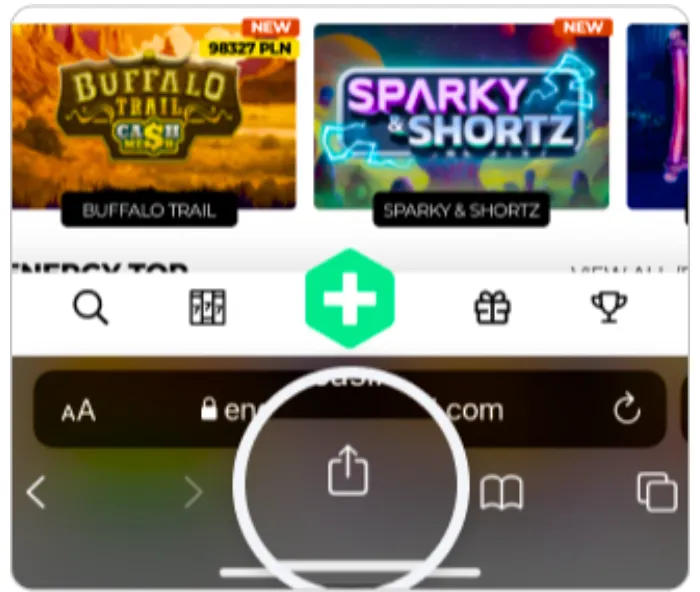
  1. Energy Casino iPhone install, step 1

    Step 1. Open energycasino.com in Safari and tap the Share button at the bottom of the screen.

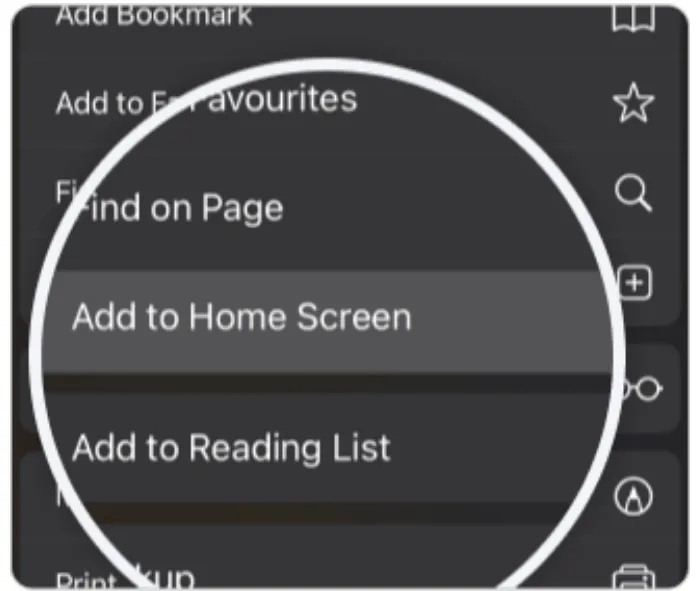
  2. Energy Casino iPhone install, step 2

    Step 2. Scroll the share menu and pick "Add to Home Screen".

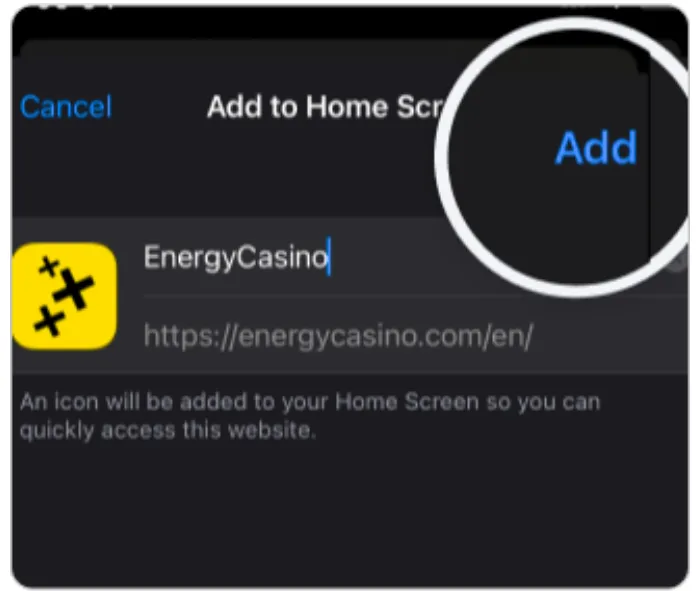
  3. Energy Casino iPhone install, step 3

    Step 3. Tap "Add" in the top right. The icon opens the site full screen, like an app.

What the Energy Casino mobile app looks like

The installed app is the mobile site without the browser bars. The lobby, promotions, cashier and live tables all sit behind the bottom menu, and the install banner at the top disappears once the icon is on your home screen.

Deposits and withdrawals on your phone

The mobile cashier lists the same methods as the desktop site: Interac e-Transfer, Interac Online, Visa, Mastercard, Neteller, Skrill, Paysafecard, Neosurf and more. The welcome offer, 100% up to CAD $200 + 400 Free Spins + 2x Wins, is claimed from a phone exactly as from a computer. Full limits and payout times are on the payments page.

One thing worth doing straight after you install: finish identity verification before your first withdrawal. Several of the player reviews below are about waiting for verification, not about the app itself.

What players say about Energy Casino on mobile

Energy Casino holds a 2 out of 5 TrustScore on Trustpilot from 451 reviews. Most complaints are about verification and withdrawal times; the positive reviews mention the game choice and smooth play on a smartphone. A cross-section, quoted as written:

★★★★★

"Nice bonus feature for Hot Slots and quick pay out. Verification process went pretty fast for the first withdraw. So far no technical issue playing on smartphone"

Anis K., Malta - Trustpilot
★☆☆☆☆

"I cannot recommend. The site is poorly done, at least for a mobile user. Last Saturday I tried to deposit €50 via Trustly. The payment was successful and the money left my bank account, but it did not appear on the casino page."

Valtteri, Finland - Trustpilot
★★★☆☆

"I like the games, but the site is very unstable, the server often waits and exits the game. It makes the experience unpleasant"

Veczán Z., Hungary - Trustpilot
★★★★★

"I was very skeptical about this casino at first to be honest, and they have proven to be very legit and actually caring."

Jia J., Canada - Trustpilot
★☆☆☆☆

"Verification process sucks! Waiting forever."

Roe Wynn W., Canada - Trustpilot
★☆☆☆☆

"Do not recommend depositted, money left my bank account but does not reach the site."

Staier, Finland - Trustpilot

Guides by platform

App: The Real Options on iOS and Android Install guide. Read guide → ANDROID on Android: No Play Store App, Two Other Routes Install the web app from the Chrome menu. Read guide → MOBILE Mobile: What You Get Without an App Store Download Play in any phone browser - nothing to install. Read guide → APK APK: The Claim, and the Route We Can Confirm What is and is not confirmed about an APK. Read guide →

Energy Casino app - FAQ

Is there an Energy Casino app in the App Store or Google Play?

No. Energy Casino is not listed in either store. The official site installs as a web app instead: on Android from the Chrome menu ("Install App"), on iPhone from Safari's Share menu ("Add to Home Screen").

Is there an official Energy Casino APK?

This guide could not confirm an APK published by the operator. The official mobile app page only describes the browser install. Avoid APK files from third-party sites - see the APK page for details.

Is the app the same as the website?

Yes. The home-screen app opens the same site full screen: same account, same cashier, same games and the same welcome offer. Nothing extra is downloaded.

Can I deposit with Interac on my phone?

Yes. The mobile cashier is the same as on desktop, including Interac e-Transfer, Interac Online, cards and e-wallets such as MuchBetter and Skrill.

Does the welcome bonus work on mobile?

Yes. The welcome offer (100% up to CAD $200 + 400 Free Spins + 2x Wins) is claimed the same way on a phone as on a computer - no separate mobile code.

Get Bonus